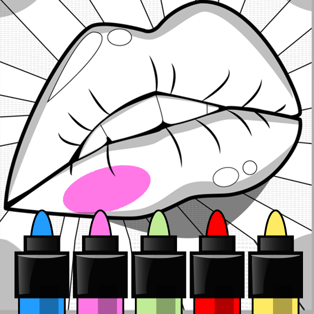
Anycolor
Anycolor is a relaxing browser coloring game that lets you paint pre-made drawings using curated color palettes, a smart fill tool, and a precision brush. Instead of forcing a single “correct” answer, it gives you creative freedom to color each section your own way—perfect for quick breaks, cozy evenings, or anyone who enjoys digital art […]
- Developer
- Aniway
- Rating
- 4.2
- OS
- Web
- Category
- Casual









Play Anycolor Online
Anycolor is a relaxing browser coloring game that lets you paint pre-made drawings using curated color palettes, a smart fill tool, and a precision brush. Instead of forcing a single “correct” answer, it gives you creative freedom to color each section your own way—perfect for quick breaks, cozy evenings, or anyone who enjoys digital art without needing advanced skills. The gallery includes animals, people, food, vehicles, and abstract illustrations, and new drawings appear over time so there’s usually something fresh to try.
Coloring controls that feel simple and flexible
Anycolor is built around two main ways to apply color: filling larger spaces quickly and brushing smaller details carefully. You can zoom in to work on tiny areas, adjust your approach as you go, and use undo/redo to experiment without worry. When your artwork is finished, you can apply finishing touches and download the final image to keep or share.
How to play
- Pick a drawing: Open the Gallery and choose an image. Scroll down to browse more.
- Select a palette color: Choose a color from the current palette, or scroll to find additional palettes.
- Tap/click to fill: Click or tap inside a blank region to fill it within the area’s boundaries.
- Use the brush for detail: Switch to the brush tool when you want finer control or need to work around small shapes.
- Zoom for precision: Zooming in makes it easier to color tight corners; the brush becomes smaller for more accurate strokes.
- Undo and redo freely: Undo removes your last action; redo brings it back if you change your mind again.
- Finalize your artwork: Move forward to apply filters and outlines if you want a more polished look.
- Download and share: Save your finished image and show it to friends.
Tools, palettes, and creative options
What makes Anycolor stand out is how it balances guided structure with personal style. The drawings provide clean sections that are easy to fill, while the palette system encourages you to try color combinations you might not choose on your own. Some extra palettes can be unlocked, giving you more variety for different moods—soft pastels, bold contrast, or themed mixes depending on what you find in the menu.
| Feature | What it does | Why it matters |
|---|---|---|
| Fill tool | Colors an area within its boundaries | Saves time and keeps lines clean |
| Brush tool | Lets you color with more control | Great for details, edges, and personal touches |
| Zoom | Magnifies small areas | Makes fine coloring easier and more accurate |
| Undo / Redo | Reverses or restores actions | Encourages experimentation without pressure |
| Filters & outlines | Finishing effects after coloring | Helps your art look complete and share-ready |
| Download | Saves your final image | Keep your creations or share them anywhere |
Tips for better-looking results
- Start with big shapes: Use the fill tool to block in large areas first, then switch to the brush for edges and accents.
- Commit to a palette: Limiting yourself to one palette often produces a more cohesive, “designed” look.
- Use contrast on purpose: Pick one darker shade for focal points (like eyes, wheels, or key details) so the image pops.
- Zoom in before fixing mistakes: If a spot looks off, zoom in and use the brush carefully rather than changing the whole section.
- Try outlines last: Outlines can unify your colors, so apply them as a final step after you’re satisfied with the main fills.
Platform details
Anycolor runs directly in a web browser and is designed to work smoothly on both desktop and mobile. On desktop, you can use a mouse for quick fills and accurate brushing. On phones and tablets, touch controls make it easy to tap-to-fill and pinch/zoom for small sections.
FAQ
Is Anycolor free to play?
Yes. You can play Anycolor for free in your web browser.
Can I play Anycolor on mobile and desktop?
Yes. Anycolor works on computers as well as mobile devices like phones and tablets.
How do I color small details without messing up the edges?
Zoom in and use the brush tool for precision. When zoomed, the brush becomes smaller, which helps you control tight spaces.
Can I save my finished coloring?
Yes. After finalizing your artwork, you can download the image and share it.
Who made Anycolor?
Anycolor was created by Aniway, a game development team based in Finland.