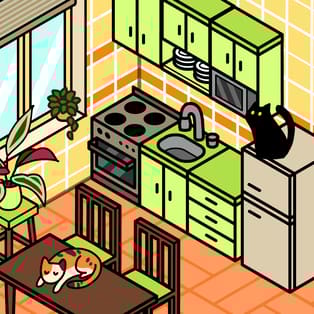
Cozy Room Design
Cozy Room Design is a relaxing decoration game where you build a warm, picture-perfect bedroom from scratch. Choose furniture, carpets, wallpapers, windows, and small details, then arrange everything until the space feels just right. It’s the kind of game you can play slowly and comfortably—experimenting with layouts, colors, and cute additions like cats and dogs […]
- Developer
- Entrevero Games
- Rating
- 4.5
- OS
- Web
- Category
- Simulation



















Play Cozy Room Design Online
Cozy Room Design is a relaxing decoration game where you build a warm, picture-perfect bedroom from scratch. Choose furniture, carpets, wallpapers, windows, and small details, then arrange everything until the space feels just right. It’s the kind of game you can play slowly and comfortably—experimenting with layouts, colors, and cute additions like cats and dogs to bring your room to life.
Because it runs in your browser, you can design on a big desktop screen or make quick changes on a phone or tablet. When your setup looks perfect, you can save your creation and come back for more ideas later.
How the decorating works
Your goal is simple: pick items you like and place them exactly where you want. The fun comes from trying different combinations—matching textures, balancing empty space, and making sure the room feels cozy rather than cluttered.
- Select items and colors: Click or tap an option to equip it, then click/tap again to switch or unequip.
- Place furniture and decor: Drag items to the spot you want in the room.
- Rotate for a better fit: Use the rotate button to adjust the direction and placement.
- Remove mistakes instantly: Hit the delete button to clear an item you no longer want.
- Save your room: Tap the save button when you’re happy with the design.
What you can customize
Cozy Room Design focuses on the parts of a room that change the mood fastest. Even small edits can transform the whole scene—especially when you coordinate colors and keep the layout practical.
- Furniture placement: Arrange key items like the bed and desk to define the room’s layout.
- Floor and walls: Pick carpets and wallpapers that create a consistent theme.
- Windows and room details: Adjust visual elements that affect how open and bright the room feels.
- Pets and cute extras: Add cats and dogs to spots like the bed, desk, or floor for a lively, playful vibe.
- Room composition: Rotate and reposition until everything feels balanced and “lived-in.”
Design tips for a cozier room
- Start with the biggest pieces: Place the bed and desk first, then decorate around them so the layout stays clean.
- Use one main color family: Choose a primary tone (soft neutrals, pastels, warm wood) and let accent colors support it.
- Don’t overcrowd the center: Leaving some open floor space often makes the room look more comfortable and realistic.
- Rotate before you commit: A small rotation can stop items from looking misaligned and helps the room feel intentional.
- Add pets last: After the room is set, place cats and dogs where they add charm without hiding key decor.
Platform and controls
| Platform | Web browser (desktop and mobile) |
| Controls | Click/tap to select, drag to move, buttons to rotate/delete/save |
| Play style | Casual, no time pressure |
FAQ
Is Cozy Room Design free to play?
Yes. You can play Cozy Room Design for free in your web browser.
Can I play Cozy Room Design on mobile and desktop?
Yes. It works on computers as well as phones and tablets.
How do I move and rotate furniture?
Drag items to move them, and use the rotate button to change their direction and fit.
What if I place something in the wrong spot?
You can remove it anytime using the delete button, then try a new placement.
How do I save my finished room?
When you’re satisfied with your design, tap the save button to store your creation.